
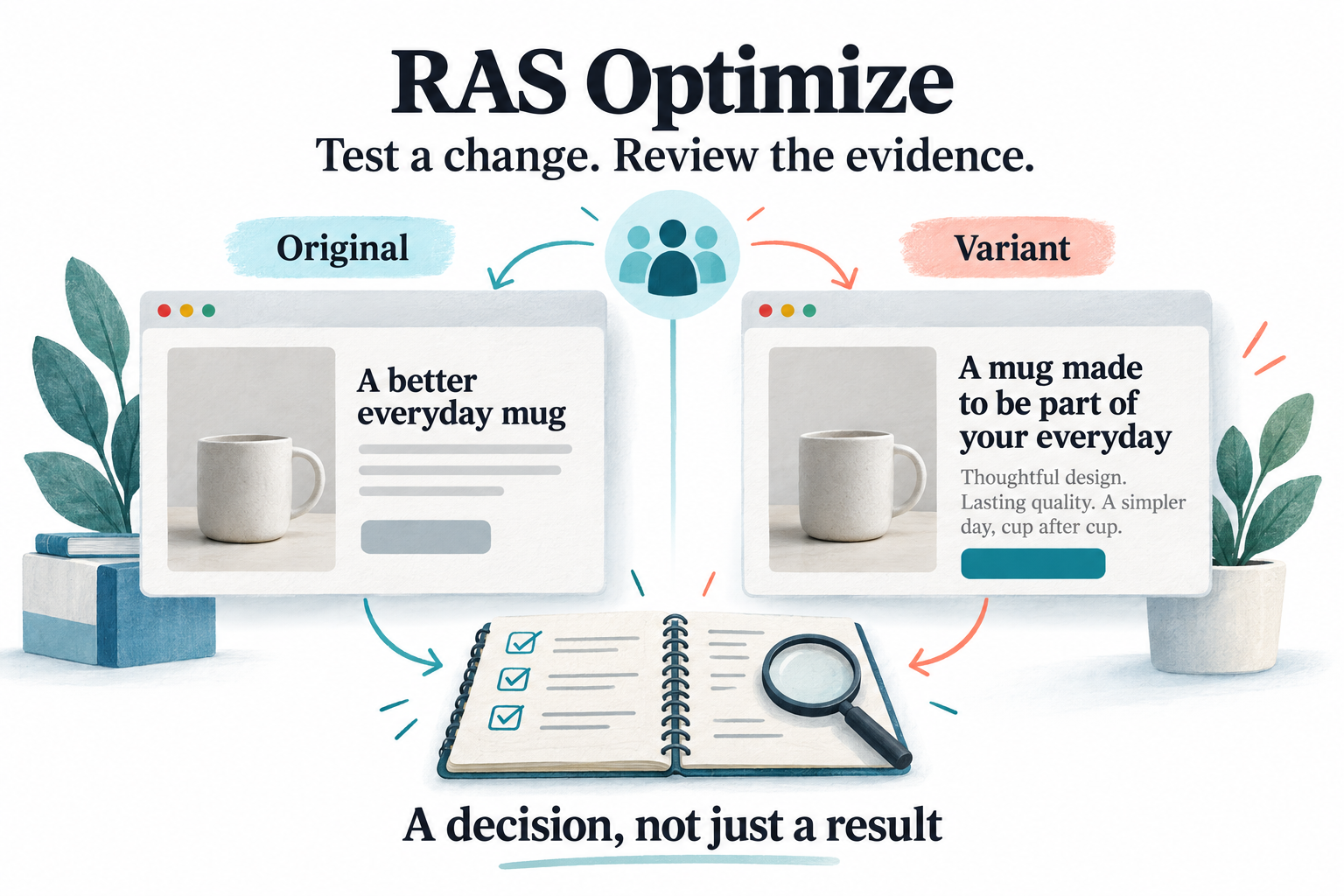
Better tests start with a decision worth making
A new headline can attract attention without improving a purchase decision. A shorter form can increase submissions while reducing their usefulness. A checkout message can look clearer and still arrive too late to help. Changing a website is easy to confuse with improving it.
RAS Optimize connects the change a team wants to test with controlled delivery, a defined measurement plan, and evidence that can support a business decision. The question is not simply which version received more clicks. It is whether the intended experience was delivered, whether the relevant outcome changed, and whether the evidence is mature enough to act on.
This guide covers the current experiment builder, targeting, reusable libraries, goals, KPI reporting, quality checks, history, and rollout features. Availability depends on the deployed Optimize upgrades and connected website integration. The visuals are explanatory illustrations, not product screenshots or measured customer results.
1. Organize the work from hypothesis to results
The workspace brings together Overview, Experiments, Reports, KPI Library, Audiences & placements, Delivery health, and Help. Teams can choose the connected site, open an experiment, inspect its current version, and move between configuration and results.
Guided templates cover product reassurance, category introductions, cart guidance, and homepage collection messaging. Each asks what the team wants to learn, where the change should appear, what the treatment should say, and which primary goal should measure it.
A product reassurance experiment might test whether clearer sizing information helps shoppers add the right item to their cart. A cart experiment might test whether an explanation of delivery options supports checkout progression. These are hypotheses to investigate, not promised improvements.
Templates create drafts with an original-content control and a treatment. They do not create missing elements on the client website. A placement selector must point to a real part of the intended page.
2. Build A/B, multi-variant, redirect, and page-element experiments
The experiment editor supports A/B tests, A/B/n tests, redirect tests, and DOM experiments that change existing page elements. Variant names, keys, weights, and configuration make the tested experiences explicit. Exactly one control and one primary goal are required.
Seven configured treatment actions support different implementation needs:
- Replace text: Test a different headline, explanation, or call to action.
- Replace HTML: Change the markup inside a selected element.
- CSS change: Apply a specified style property and value.
- Hide an element: Test an experience without a selected element.
- Show an element: Clear its inline display setting; the surrounding stylesheet still determines whether it is visible.
- Insert HTML after an element: Add supporting content beside the relevant decision point.
- Redirect URL: Send an assigned treatment browser to a configured destination.
The original-content control leaves the page unchanged. HTML and CSS treatments need appropriate technical review; this is not a promise that arbitrary markup is safe or that every layout can be changed without engineering. Redirect destinations and both mobile and desktop layouts also need testing.
3. Control eligibility, traffic allocation, and delivery state
Draft, Live, Paused, and Archived states separate preparation from active delivery. Start and end dates define the scheduled window. Eligible-traffic allocation determines how much matching traffic enters the experiment, while variant weights determine the split within that allocation.
Versioned assignment is stable for a browser identifier within that experiment version. Repeated page loads do not create new participants. A browser identifier is not a verified person: another device or cleared storage can produce another identity.
This gives teams a way to limit exposure while checking a change. It does not eliminate implementation risk or guarantee that a small allocation will produce enough evidence. A material configuration change starts a new measurement version rather than quietly rewriting an existing comparison.
4. Target the pages and visitors relevant to the question
Targeting includes URL inclusion and exclusion patterns, desktop/mobile/tablet selection, UTM source patterns, and new or returning browser visitors. A campaign-specific message can therefore be tested where the acquisition context makes it relevant, rather than across every page.
Advanced targeting also includes country-code rules and a custom JavaScript condition. Country rules rely on the website supplying its country context; they are not a built-in geolocation guarantee. Custom conditions require developer review and compatibility with the site's browser security policy.
Reusable audiences add page type, exact product category, guest or signed-in segment, and minimum cart total. All supplied audience conditions must match. The commerce integration must provide the necessary context, and client-supplied segment information must not be used as authorization for sensitive account actions or financial benefits.
5. Maintain audiences and named placements without rewriting history
Audience and placement libraries provide Active and Archived views. Teams can create, edit, rename, duplicate, archive, and restore definitions. Duplicate names are rejected during creation, and duplication produces an independent entry with a new name.
Usage links show references from current experiment options and historical snapshots. Used definitions cannot simply be deleted. Unused deletion requires explicit confirmation and a server-side usage check, helping keep experiment history understandable.
Editing the library does not silently change a running experiment. Audience rules remain frozen until a different audience is selected or the operator explicitly applies the latest saved definition. Selecting an active named placement copies its selector into the experiment's variants for the next snapshot.
This distinction matters when a retailer redesigns a product page. The team can prepare a new placement mapping without pretending that old results came from that new location.
6. Check selectors on the connected website
Named placements include an Open preview and check placement workflow. It opens an eligible HTTPS page on the site's primary domain and checks whether the selector is invalid, matches nothing, matches one element, or matches several elements.
The dedicated check stops RAS tracking, enrollment, and storage for that validation visit. Other scripts on the client website can still execute. The result is a point-in-time DOM check, not a guarantee of visibility or continued compatibility after a theme change.
A multiple-match result deserves attention because normal element treatments use the first matching element. Dynamic rendering, blocked popups, missing RAS scripts, and browser security restrictions can also prevent a useful result. A syntactically correct selector is only the beginning of placement QA.
7. Preview variants without mixing them into normal results
Variant preview links make it possible to inspect the original and treatment on the actual website. Preview delivery requires a Live experiment within its schedule. To review a draft safely before normal enrollment, save zero percent eligible traffic, launch it, and use the forced preview links.
After reviewing the page, save the intended allocation to begin the enrollment version. Preview traffic remains separate from test/demo traffic and normal, unmarked activity. Unmarked traffic is a classification, not proof that every visitor is human.
A useful check includes the original control, visible and below-fold treatments, a missing placement, mobile layout, a click goal, and any relevant commerce context. Preview mode does not disable payments or fulfillment; purchase testing belongs in an appropriate nonproduction environment.
8. Choose goals that reflect real progress
Experiment goals include clicks, page visits, form submissions, purchase/revenue events, and custom JavaScript events. Shared commerce events can support goals such as viewing a product, adding it to a cart, starting checkout, or completing a purchase.
The distinction between an attempt and an accepted outcome is important. Native form submission tracking records a submission attempt, not confirmation that the application accepted the request. An accepted form, qualified lead, or completed signup should emit its own success event from the relevant integration.
A team testing a quote form might use accepted requests as the main outcome and CTA clicks as supporting context. More button activity alone does not answer whether the business received more useful opportunities.
9. Use the KPI Library for a broader business scorecard
The KPI Library adds predefined and custom definitions beyond the original goal view. Templates cover purchase conversion, add-to-cart rate, checkout-start rate, accepted form completion, signup rate, loyalty enrollment, qualified leads, participants with refunds or cancellations, and delivery errors.
Commerce templates also include revenue per assigned browser, orders per assigned browser, average order value, and an ordered checkout-to-purchase funnel. These provide different perspectives: a higher average order value can coexist with fewer buyers, so one attractive metric should not replace the whole decision.
Each definition can include a business description, desired direction, exact category or page-type filter, currency where needed, and a minimum worthwhile absolute change. The saving user is recorded as owner. Existing experiment definitions remain frozen when a library definition is updated.
A template does not install the event that it names. Qualified leads, refunds, cancellations, and other business-specific outcomes need an integration that actually emits those events. Tracking-readiness diagnostics help inspect matching activity, but missing diagnostic data is not proof that no real business events occurred.
10. Define the calculation, not only the metric name
Optimize supports five custom calculation types: participants converting, events per assigned browser, numeric total per assigned browser, numeric total divided by denominator-event count, and ordered-funnel completion per assigned browser.
That makes it possible to distinguish a conversion rate from repeat activity, and a total per assigned visitor from a value per order. Nonconverting participants remain in participant-based calculations with zero outcomes. A ratio such as average order value instead uses its explicitly configured denominator events.
Ordered funnels support two to six steps. A step must occur after the preceding event within the outcome window; an unordered collection of events does not count as completed progression.
Custom event integrations can use EDSA.Optimize.track(...) for published KPI definitions, while shared commerce events feed matching definitions. Event retries reuse their identity, but calling the tracking method twice represents two events. Integration quality still matters.
11. Freeze a primary KPI, guardrails, and an outcome window
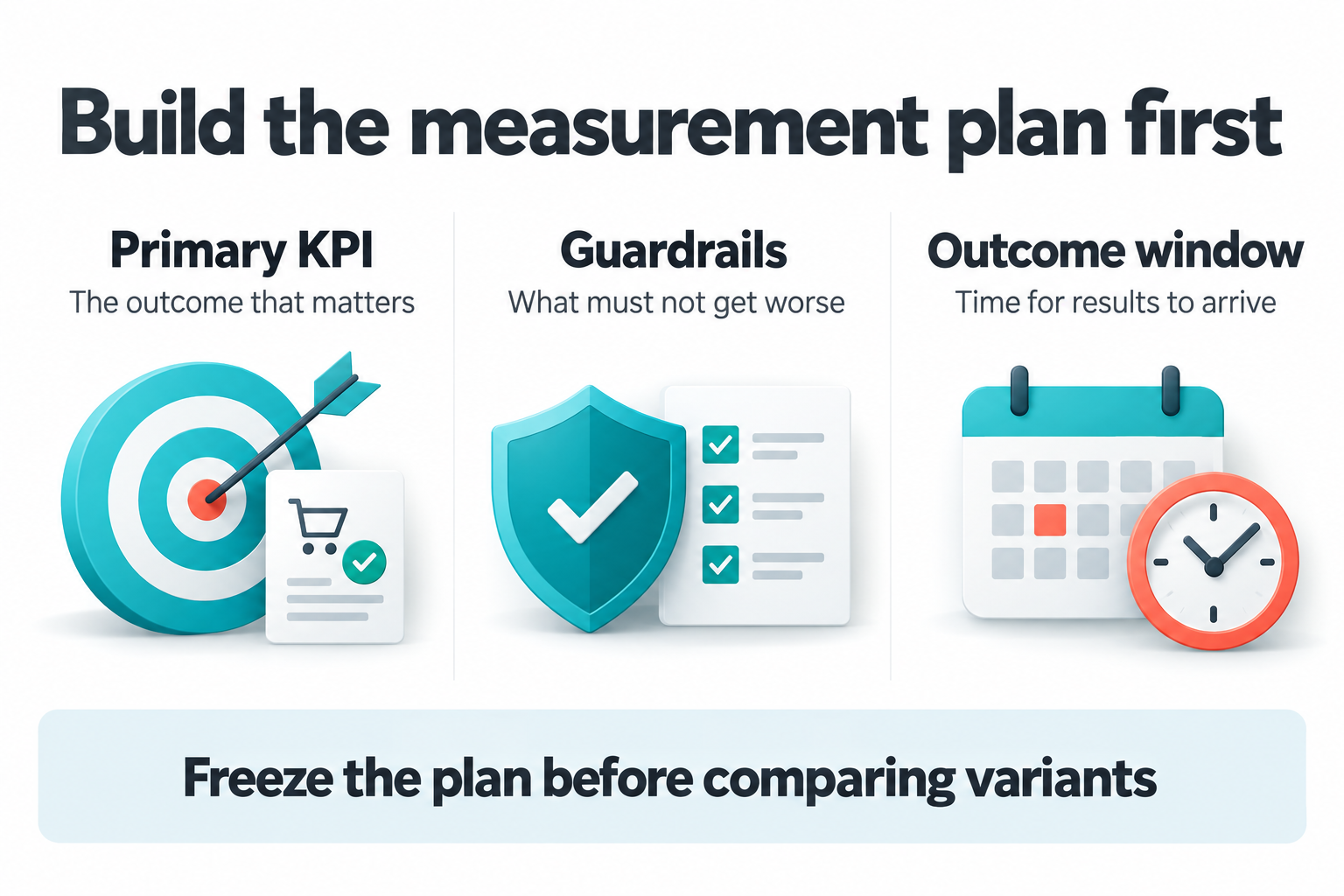
The measurement plan selects between one and twelve KPIs with exactly one primary role, alongside optional secondary metrics and guardrails. Teams set the collection period, outcome window, minimum participants per variant, and confidence level before interpreting results.
Saving this plan copies the definitions into an immutable experiment version and pauses delivery for review. The operator resumes delivery after confirming the configuration. Changing what success means later should not retroactively change the evidence already collected.
The outcome window allows time for assigned visitors to act. The compact goal workflow uses a twenty-four-hour window; detailed KPI plans support a configured window. A collection period ending is therefore not necessarily the moment when the evidence is complete.
12. Estimate whether the test has enough traffic
The binary sample planner uses a baseline conversion rate, detectable increase, confidence, power, variant count, and expected daily traffic to estimate participants and collection time for an equal-allocation experiment.
It is a planning aid for binary conversion outcomes, not a power calculator for revenue or ratio metrics. Its collection estimate does not include the additional outcome window or guarantee that the test captures every relevant business cycle.
For a low-traffic service page, this may reveal that a proposed comparison is impractical. The sensible next step may be stronger instrumentation or qualitative research, not running a weak test indefinitely. Reaching the configured minimum sample is necessary for some decisions, but never guarantees a conclusive result.
13. Separate assignment, application, visibility, and conversion
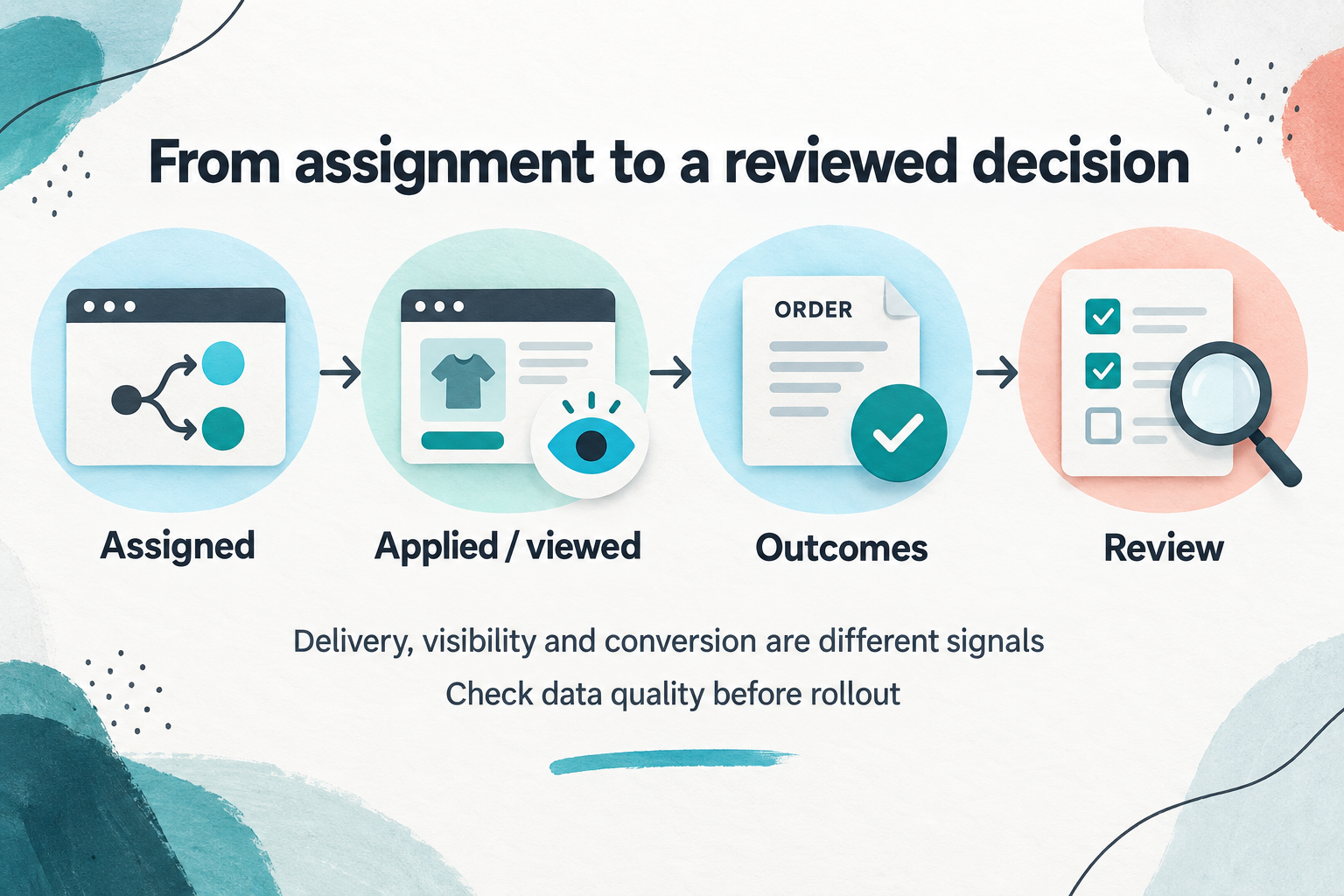
Assigned means enrollment was accepted. Applied means the selected action was installed, or the original was retained. Viewed requires at least half of the measured placement to remain in the viewport for one second while the document is visible. A hidden treatment does not generate a viewed event.
A below-fold change can therefore be applied without being seen. Recorded visibility also does not measure attention. These distinctions help explain whether a disappointing outcome begins with delivery, placement, or the message itself.
Participant-based conversion comparisons use assigned browsers as the denominator, rather than selecting only visitors who viewed or clicked the treatment. Repeated page loads do not inflate that participant count.
14. Read scorecards, trends, funnels, and segments together
Detailed reports include KPI scorecards, trends, ordered funnels, segments, commerce, data quality, and decision history. The scorecard shows participants, numerator and denominator, observed value, absolute difference, relative uplift, adjusted confidence interval, and result status.
Conversion rates use percentages; absolute changes use percentage points. Relative uplift is unavailable when the control value is zero. Daily enrollment and cumulative primary-KPI trends help diagnose the collection process, but the decision uses the version cohort rather than whichever daily slice looks strongest.
Segments use device, category, page type, and source captured at first assignment. They are exploratory: a favorable mobile result and an unfavorable desktop result do not automatically establish a reliable difference between the two audiences. Historical assignments may also lack newer dimensions.
15. Interpret uncertainty instead of chasing a winner label
Optimize uses a fixed collection horizon and outcome window. Binary and funnel comparisons use conservative Wilson bounds; numeric count, sum, and ratio comparisons use participant-level approximations. Multiple selected KPIs and noncontrol comparisons are adjusted together.
Numeric intervals require sufficient participants, observed variation, and checks for a single browser dominating the outcome. They are not an exact guarantee for small or heavily skewed samples. A configured confidence level is not the probability that a variant wins.
Result states can indicate supported improvement, regression, inconclusive evidence, or an interval within a predefined equivalence range. A nonsignificant difference by itself is not evidence of equivalence. Guardrail regression and quality problems can block the primary decision.
The system does not claim Bayesian win probabilities, automatic early stopping, or an automatic segment winner. This keeps a useful operational distinction: a temporary lead is something to observe, not necessarily something to ship.
16. Inspect commerce evidence without calling it profit
Commerce reporting keeps currencies separate and deduplicates order receipts. Purchase tracking needs an order reference, currency, and total. Monetary KPI definitions must make their amount and currency explicit.
Browser-reported revenue remains labeled as such. The workspace order view can show same-site backend order-reference matches from the Loyalty ledger, with JourneyLens recording links when recordings are available and accessible.
A matched order helps investigate the evidence; it does not prove incremental revenue caused by the experiment. Gross revenue, net revenue, tax, shipping, refunds, and profit are different measures. Their meaning must come from the configured definition and data source, not assumptions made from an attractive total.
17. Diagnose delivery and measurement quality
Delivery health and data-quality views expose missing or invalid placements, measurement activity, assignment imbalance, and affected browsers. Delayed elements receive bounded retries, but a page component appearing too late may still miss delivery.
Allocation-balance checks begin after one hundred assigned browsers. Delivery warnings flag more than five percent affected browsers in an arm with at least twenty assignments. Configured guardrails provide another reason to investigate before acting on a primary metric.
Warnings evaluate when reports load; there is no installed outbound email or Slack alert scheduler. Absence of a warning also does not prove tracking completeness. Consent choices, blockers, missing integrations, and real nonconversion can all affect observed data.
Compact reports have explicit safety limits that disable statistical decisions when exceeded. Detailed KPI calculations stream events but retain participant state in memory, so large-scale deployments still need workload testing rather than assuming an unlimited analytics warehouse.
18. Preserve versions, decisions, and controlled rollouts
Version history preserves the configuration used for each cohort. Restoring earlier settings creates a new version and pauses delivery for review, leaving historical results intact.
Decision records support Continue collecting, Ship / controlled rollout, Stop, and Inconclusive, with a required rationale. The record captures the selected traffic, segment, and evidence at that time. It is append-only and does not automatically change delivery.
Controlled rollout is a separate action: choose a variant, traffic percentage, and rationale to create a monitoring version. Existing delivery state is preserved, so a paused configuration still needs explicit resumption. Rollout monitoring is not a fresh randomized winner comparison, nor does it permanently rewrite the website's source files.
19. Share findings and coordinate the connected experience
Saved reports retain filter selections while results refresh as outcomes arrive. Detailed CSV exports include metric definitions and comparison evidence. Browser Print supports saving a PDF; this is not a separate server-generated PDF service.
Optimize uses the shared RAS runtime and commerce connection. Single-page navigation removes previous page effects and refreshes configuration. Exclusion groups allow one eligible experiment per group on a page. An Optimize assignment, including a control assignment, suppresses AdaptiveContent there to reduce competing changes.
This is page-level coordination, not complete isolation from every other experiment or marketing tool. Teams should still review overlapping interventions. Site-scoped access and management permissions separate inspection from configuration changes.
From a customer problem to an accountable improvement
Consider a store where shoppers hesitate over product compatibility. SiteMetrics can help locate weak progression, JourneyLens can help investigate the interaction, and Voice of Customer can surface the question in customer language. These signals can inform an Optimize hypothesis; they do not automatically generate a valid experiment.
The team can test clearer compatibility guidance against original content, select a relevant audience, verify the placement, and choose a primary outcome with appropriate guardrails. After reviewing delivery and waiting for the planned evidence, it can record a decision and explicitly roll out a treatment when justified.
That is the value of the full Optimize feature set: templates and treatment actions make a change testable; targeting and libraries make delivery deliberate; goals and KPIs make success explicit; reports and quality checks make uncertainty visible; history and rollout controls make the decision accountable.
Start with one meaningful customer problem. Define what improvement would look like before the first assignment, verify the experience, and preserve what the test actually taught the team, including an inconclusive result.