
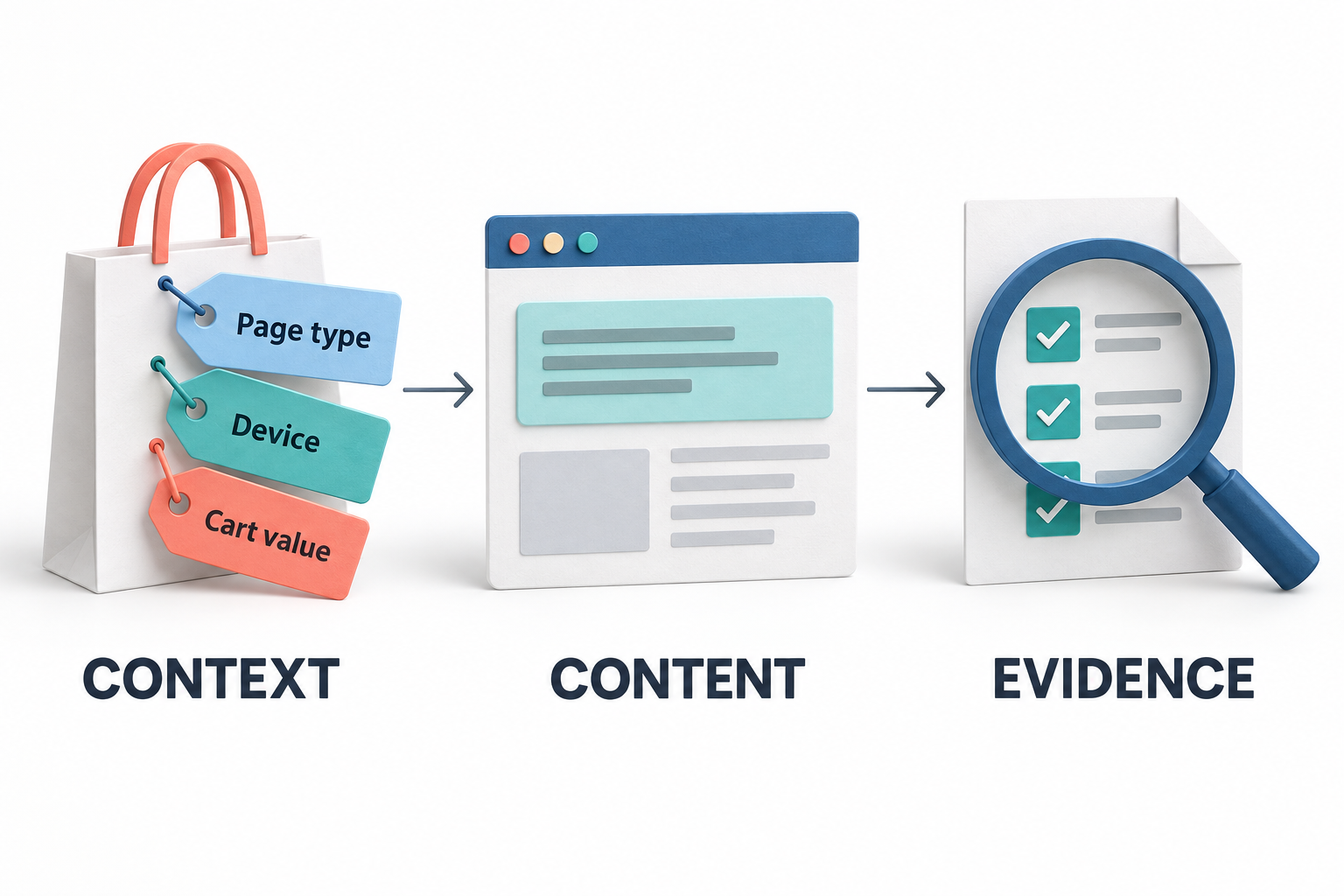
Relevant content starts with the situation, not a different headline
A first-time visitor arriving from a campaign, a returning shopper reviewing a product, and a customer building a cart may need different information. Sending all three through the same message can leave useful reassurance too far away from the decision it is meant to support.
RAS AdaptiveContent lets teams deliver configured messages and page changes according to visitor and shopping context. Its purpose is not to change a website for the sake of looking personalized. It is to put a relevant next step, explanation, or call to action where an eligible visitor can use it, then inspect whether delivery and subsequent activity were recorded.
This guide covers the current campaign, targeting, placement, versioning, control-group, and reporting features. Availability depends on the deployed version and site integration. The illustrations are conceptual examples, not product screenshots, real customer records, or measured performance results.
1. Start with a clear campaign objective
The workspace brings together Overview, Campaigns, Reports, Audiences & placements, Delivery health, and Help. That structure separates the work of defining an experience from checking whether it reached the intended visitors.
Templates provide starting points for product reassurance, cart guidance, and a campaign-specific welcome. A product reassurance message might direct visitors toward sizing information. Cart guidance might explain the next step or link to delivery options. A source-specific welcome can continue the message from an acquisition campaign.
Templates create drafts rather than immediately publishing content. Teams review the target site, message, placement, audience, and measurement settings before selecting Live. A separate demo template supports controlled acceptance testing, not evidence about customer response.
2. Manage the campaign lifecycle and schedule
Campaigns can be Draft, Live, Paused, or Archived. The editor groups configuration into placement and schedule, message and appearance, audience and frequency, and review and save. Start and end dates define the delivery window, while priority helps determine which eligible campaign is considered first.
This gives operators explicit control over preparation, availability, and retirement. A temporary message can have an end date; a campaign needing investigation can be paused; an older campaign can remain distinguishable from the current live experience.
Saving a campaign with Live selected publishes its settings. That makes the status selector an operational decision, not simply a label. Teams should verify the intended site and schedule before applying a change.
3. Choose from ten content actions
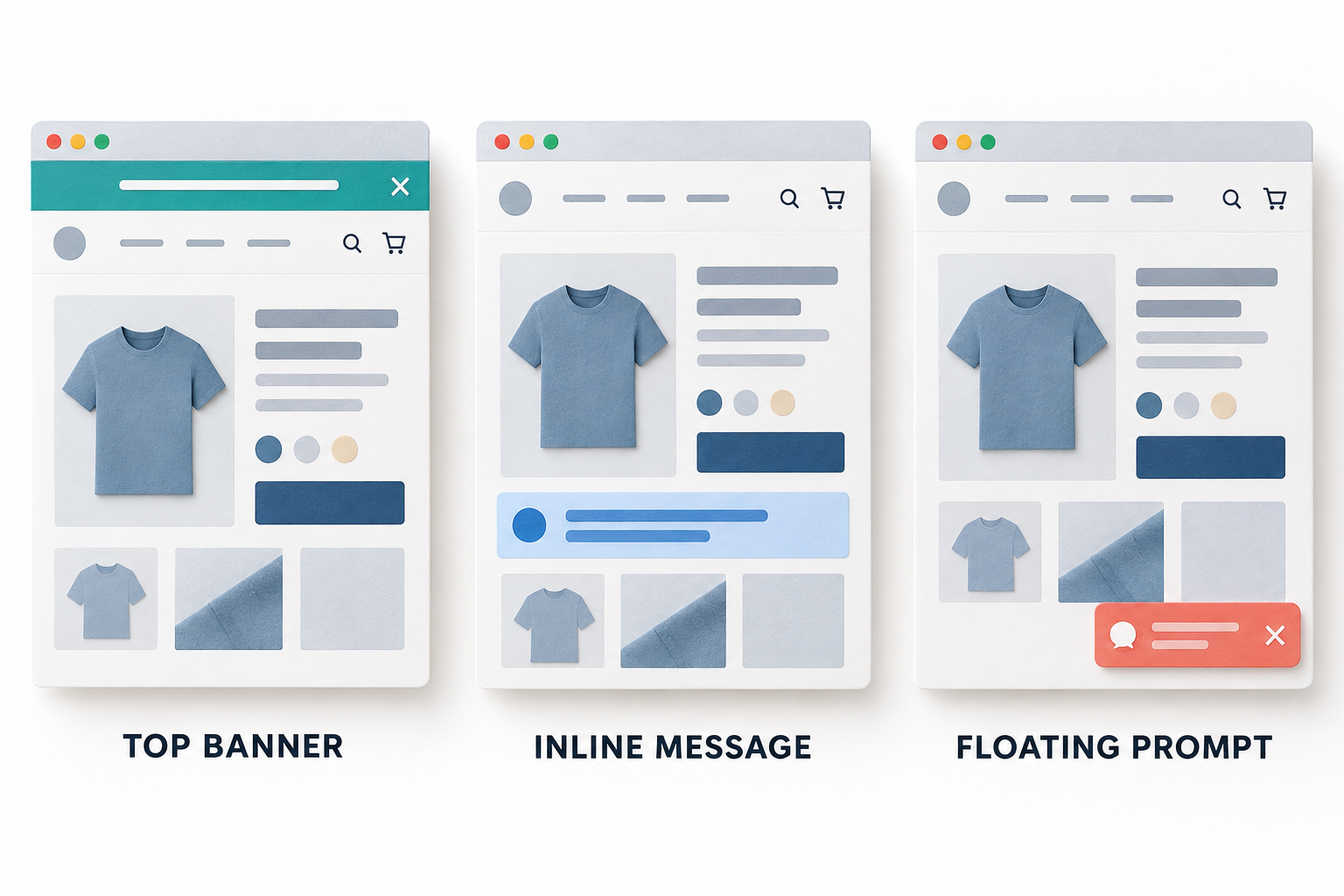
AdaptiveContent supports several ways to deliver a message or modify an existing page element:
- Insert after an element: Place a message after the element matched by a CSS selector.
- Insert before an element: Add context immediately before a selected element.
- Append inside an element: Put the message within an existing page container.
- Floating prompt: Present a separate prompt without needing a page selector.
- Top banner: Deliver a top-of-page message without selecting an existing element.
- Replace element text: Change the wording of a selected element.
- Replace element content with plain text: Replace the selected content using text rather than arbitrary executable markup.
- Replace link URL: Change the destination of a selected link.
- Hide element: Remove a selected element from the displayed experience.
- Show element: Make a selected element visible.
These actions address different needs. An inline explanation can support a product decision, a link change can direct a campaign audience to a relevant destination, and a banner can carry a broader announcement. The feature set is not a full visual page editor, an image-personalization tool, or a system that generates new copy automatically.
4. Configure the message and its appearance
Message settings include a headline, body text, call-to-action label, and destination URL. Replacement actions use a replacement value. Light and dark themes, background color, text color, and accent color help the experience fit the surrounding site. Supported messages can also allow visitor dismissal.
Good personalization still depends on clear writing. A returning visitor does not necessarily need a more aggressive promotion; they may need a useful explanation or a shorter route to information they already sought. The campaign should have a specific purpose that is understandable even without its targeting rules.
Desktop and mobile previews show escaped content so teams can review the message safely. They do not reproduce every detail of the host page. Real-site testing remains necessary for fixed headers, sticky controls, overlapping widgets, and responsive layouts.
5. Use selectors and named placements deliberately
Element-based actions require a valid CSS selector. Selector validation helps reject malformed input, but a syntactically valid selector can still match nothing on the intended page. A theme update or a changed page component can therefore affect delivery without changing the campaign itself.
Named placements provide a reusable mapping from a recognizable placement name to a selector. Selecting a named placement applies an insert-after action using that mapping. Teams can update a named mapping, while existing campaigns keep their saved selectors until the placement is selected again.
This avoids silently moving every campaign when a shared definition changes. It also means that operators must deliberately update the campaigns that should follow the new mapping. Delayed elements are retried for five seconds; an element appearing later should not be assumed to receive the content.
6. Target pages, devices, acquisition sources, and visit history
Campaign targeting includes URL inclusion and exclusion patterns, desktop/tablet/mobile selection, UTM source patterns, referrer patterns, new or returning visitors, and a minimum visit count. These rules let a team narrow the situation in which a message is eligible.
A campaign welcome can align with a particular source. A product explanation can be limited to the relevant URL family. A mobile-specific message can address a constrained browsing experience without changing the desktop presentation.
The default exclusions cover sensitive routes such as checkout, payment, account, and login patterns. Review those rules against the actual site's URLs before launch. Browser-based returning-visitor and visit information is not a verified customer identity and may change when storage is cleared or another browser is used.
7. Add reusable audiences using shopping context
Reusable audiences can add page type, product category, minimum cart value, and customer-segment conditions. All entered conditions must match, alongside the campaign's URL, device, and source rules. Unused conditions can remain blank.
For example, a retailer could configure a product-category audience for a relevant buying guide or a cart-value audience for delivery information. The site must supply that context through the shared commerce integration; AdaptiveContent should not be expected to infer every category or business segment from the visible page.
Audience definitions are resolved into campaign versions. A later change to an audience does not silently rewrite an existing version's targeting. The current audience workspace supports creating and selecting reusable audiences; it does not provide a full editing and deletion interface for those definitions.
Client-supplied context is appropriate for presentation decisions, not for authorizing sensitive benefits. Showing an offer message does not establish that the visitor qualifies for a discount or entitlement at checkout.
8. Control repetition and visitor frequency
Frequency settings include once-per-session delivery, cooldown hours, and a maximum display count per visitor. These controls help prevent a useful message from becoming an interruption that appears repeatedly throughout a visit.
Sessions use the existing tab-session identity, and additional page loads within that session do not count as new visits. Frequency and returning-visitor behavior still depend on browser storage, so they should not be described as cross-device recognition of the same person.
A practical rollout starts with restrained frequency and a clear reason to show the message again. More displays can increase exposure while making the experience less useful; display volume alone is not a success measure.
9. Keep campaign history and restore earlier settings
Version snapshots retain campaign content and resolved audience conditions. A changed version creates a new comparison baseline, rather than mixing the edited experience into the old version's results.
History controls can restore previous settings while preserving historical measurements. Restoration makes those settings current through a new snapshot; restoring an identical current snapshot is a no-op. The history therefore supports recovery without pretending that an earlier measurement period used the new content.
This is particularly helpful when several people manage campaigns. A reviewer can distinguish a targeting change from a message change and avoid comparing two periods as though the visitor experience remained constant.
10. Compare personalization with original content
Campaign delivery settings include an optional control percentage. Visitors assigned to the control group retain the original experience for that campaign, providing a reference alongside personalized-content assignments. Assignment stays stable for a browser visitor within a campaign version.
A new version starts a new comparison. Results should be reviewed within the same version and group, and repeated sessions from one browser should not be treated as independent experimental subjects.
The comparison is descriptive. AdaptiveContent does not perform a significance test, declare an automatic winner, or roll out a winning variation automatically. A difference in observed goal rates is a reason to investigate, not proof of incremental impact.
11. Coordinate competing experiences
Higher-priority campaigns are evaluated first. Runtime delivery occupies one slot per selector string or banner/prompt action to reduce competing changes. This is not a complete collision detector: different selector strings can still resolve to the same page element.
Coordination with RAS Optimize uses a conservative page-level exclusion. An active Optimize assignment, including an original-content control assignment, suppresses AdaptiveContent on that page. An Optimize configuration failure also suppresses it rather than allowing both systems to alter the experience unpredictably.
For campaign operators, this explains why an otherwise eligible message may not appear. Check whether the page is participating in Optimize before assuming a content-delivery fault. The coordination is not a shared statistical experiment engine.
12. Separate eligibility, application, visibility, and interaction
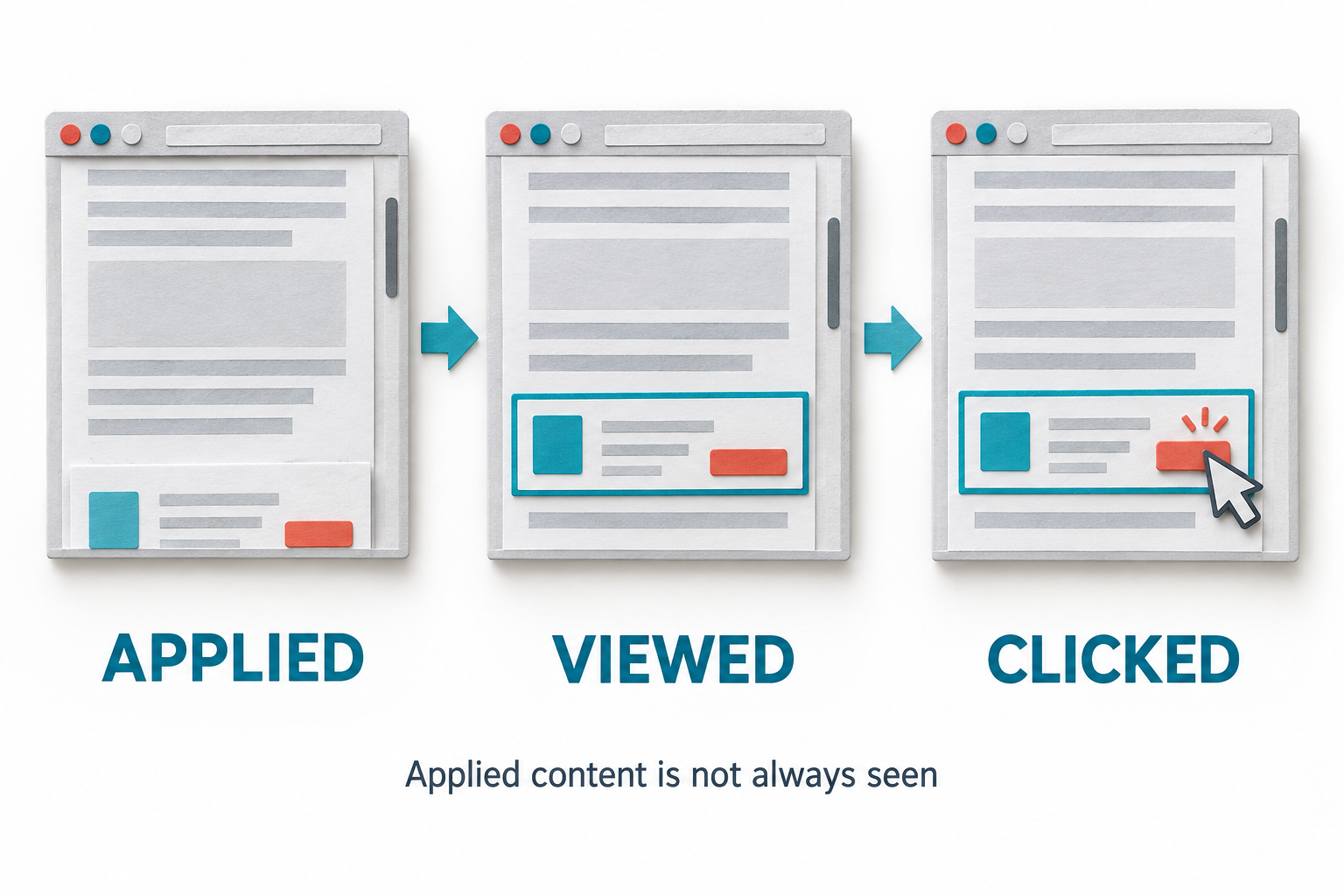
AdaptiveContent measures different delivery stages rather than treating every configured campaign as an impression. Eligible and assigned indicate that the relevant targeting, audience, and frequency checks passed before mounting. An assignment can exist even if the intended placement is missing.
Applied means the page change succeeded. Viewed requires at least half of the measured element to be in the viewport for one second while the document is visible. Hide-element actions never count as viewed. Clicks and dismissals are separate interactions.
These definitions are useful when a message sits below the fold. The content may have been inserted correctly without the visitor ever scrolling to it. Visibility also does not prove attention or guarantee that another element was not covering the message.
13. Choose a goal and connect commerce events
A campaign can select a primary goal from product viewed, product added to cart, checkout started, or purchase completed. The shared RAS commerce integration supplies these events and can update page type, product and category, cart totals and item counts, currency, and a non-personal customer segment.
Goals and purchases require a campaign assignment in the same session within the preceding twenty-four hours. Event keys protect retries from creating duplicate measurements, while purchase references are deduplicated within a version.
These associations help connect the configured experience with later recorded activity. They do not establish that the content caused the action. The integration should also keep the meaning of cart value explicit: a merchandise subtotal is different from a final order total including tax and shipping.
14. Read campaign and control reports in context
Reports include visible impressions over time, delivery diagnostics, and campaign/version/group results. Teams can review assigned sessions, sessions that saw content, clicks, goal sessions, and goal rates, using the available site, date, traffic, and campaign filters.
Goal rates use assigned sessions as the denominator, and only goal sessions that also have an assignment within the selected reporting period enter the numerator. Recent assignments may not yet have had the full twenty-four-hour follow-up window.
The reporting selection is bounded to the latest 20,000 measurement events, with an explicit truncation notice. Narrowing the dates or campaign selection can provide a more complete view when that limit is reached. Distinct session counts are separated by stage, campaign version, and group, rather than being a count of unique verified people.
A review should ask both whether the message was delivered and whether the chosen next step was recorded. A low view count suggests a different investigation from a well-viewed message with few relevant clicks.
15. Inspect orders without overstating revenue impact
The order view deduplicates order references across campaign rows so the same order is not listed repeatedly simply because several campaigns were associated with the session. Where available, exact site and order references can be matched to the verified Loyalty order ledger.
Matched backend orders and browser-reported orders are labeled separately. Unmatched amounts remain browser reported; backend amounts are explicitly displayed in minor units. Currencies are not added together into an artificial combined revenue total.
These are recorded order totals, not incremental revenue or profit attributed to personalization. When a retained, accessible JourneyLens recording exists, the order row can provide a link for further investigation. Missing recordings may reflect sampling, consent, exclusions, or retention rather than an invalid order.
16. Diagnose missing or unreliable delivery
Delivery health exposes the last received event and diagnostic reasons so a team can investigate why a campaign is not showing as expected. A useful review checks whether the campaign is Live, the schedule and rules match, the current RAS script is loaded, the selector exists, frequency permits another display, and Optimize is suppressing the page.
Aggregate delivery alerts evaluate when the report opens. The current threshold requires at least twenty assigned sessions and error sessions equal to at least ten percent of assigned sessions. These are in-workspace warnings, not scheduled email or Slack alerts.
No data is not the same as successful delivery. Test a known eligible page and confirm the stored measurement receipt and campaign version. An HTTP success code alone is weaker evidence than verifying the row that was actually accepted.
17. Test deliberately and reuse the existing RAS connection
AdaptiveContent uses the existing RAS loader rather than a second pixel. For single-page applications, context should update with navigation; URL changes refresh campaign selection and remove previously mounted campaign content. Delayed-placement handling and bounded retries support dynamic pages, but do not replace testing the site's actual lifecycle.
Signed shared test markers and demo-site classification distinguish test activity. Legacy events remain in their older storage but are excluded from the new reports. Test mode does not disable payments, fulfillment, or rewards, so a purchase test still needs an appropriate nonproduction environment.
A useful acceptance sequence checks visible and below-fold content, a CTA click, dismissal, a missing selector, an original-content control assignment, mobile layout, and a cart-context update. Browser exposures remain client reported rather than cryptographic proof that an experience was seen.
Turn personalization into a controlled improvement process
Consider a store where shoppers repeatedly ask for sizing advice. Voice of Customer can help identify the question, and JourneyLens can help investigate how visitors use the existing guide. AdaptiveContent can then place a relevant explanation beside the product information for an appropriate audience.
The team can review whether that message was applied and viewed, whether visitors used its CTA, and how the configured goal compared with original-content assignments. A controlled experiment through Optimize may be appropriate for a stronger causal claim, with targeting planned so the modules do not conflict.
The value of AdaptiveContent is this connection between context, controlled delivery, and interpretable evidence. It provides templates, ten content actions, presentation controls, audience rules, named placements, frequency limits, schedules, version history, control groups, goals, and delivery reporting. It does not remove the need for a useful message or a careful review.
Start with one customer situation, one clear change, and one meaningful next step. Verify delivery on the real layout, inspect the recorded results, and improve the campaign based on what the evidence can actually support.