
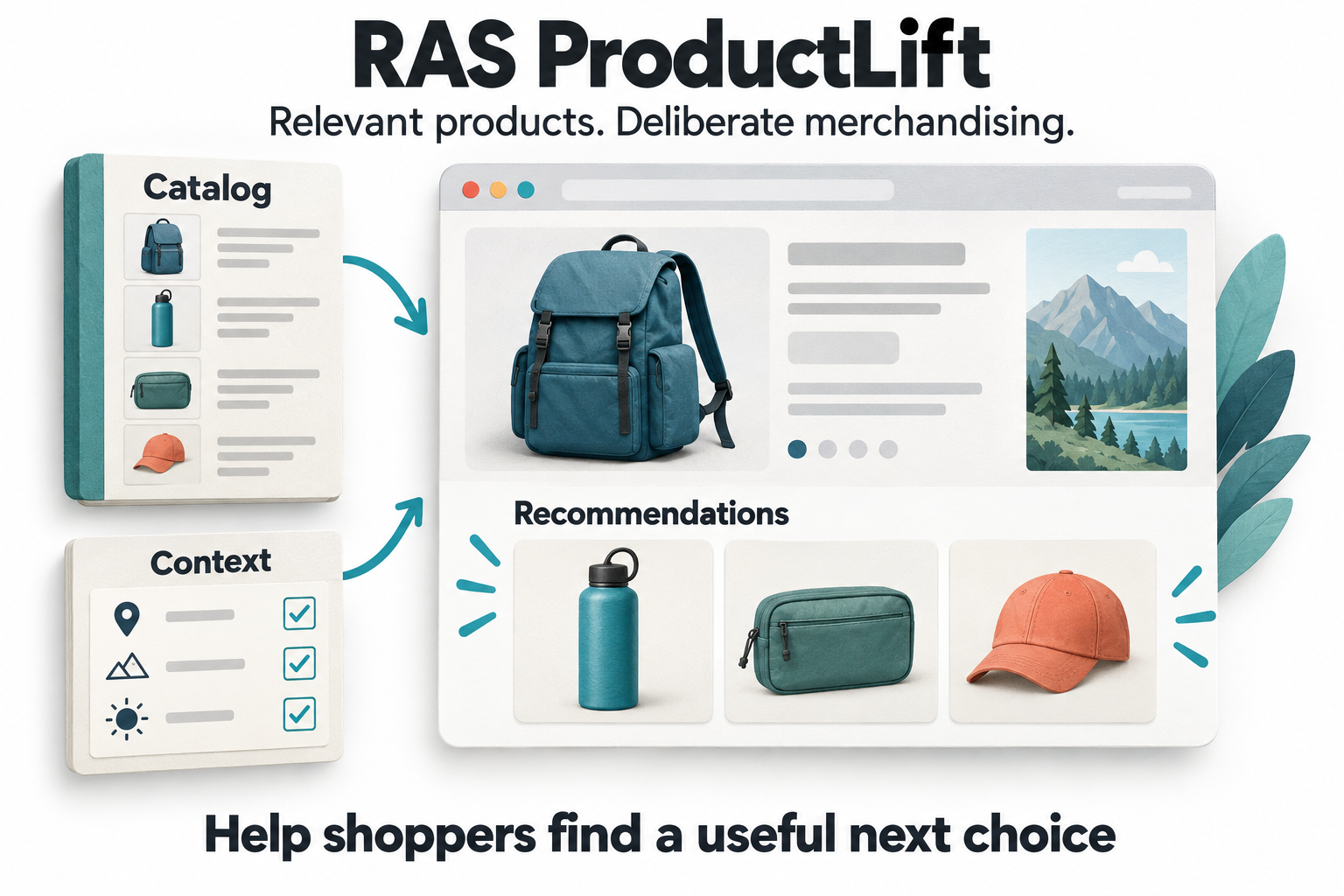
Product recommendations need a job to do
A shopper comparing backpacks, a returning visitor trying to find an item again, and a customer considering an accessory do not need the same recommendation. Showing more products is easy. Helping someone make a useful next choice requires context, a dependable catalog, and a clear merchandising purpose.
RAS ProductLift brings those decisions into one workflow. Teams can choose recommendation strategies, control eligible products and placements, target the relevant audience, and follow recorded activity from delivery through clicked products and attributed purchase lines.
This guide covers the current catalog, campaign, selection, targeting, versioning, integration, and reporting features. Availability depends on the deployed ProductLift upgrades and website integration. The visuals are conceptual illustrations, not product screenshots, customer records, or measured performance results.
1. Organize recommendation work around the connected site
The workspace includes Overview, Campaigns, Catalog health, Audiences & placements, Reports, Delivery diagnostics, and Help. A site selector keeps configuration and results tied to the intended website. Product details and campaign content remain accessible from the same workflow.
This separates three different questions: what products are ready to recommend, how a campaign should choose and display them, and what happened after a recommendation request. A campaign with attractive copy can still fail because its products are unavailable or its placement no longer exists.
Site-scoped access and management permissions protect configuration changes. A team reviewing performance does not need to treat every report visit as a publishing action.
2. Start from six recommendation templates
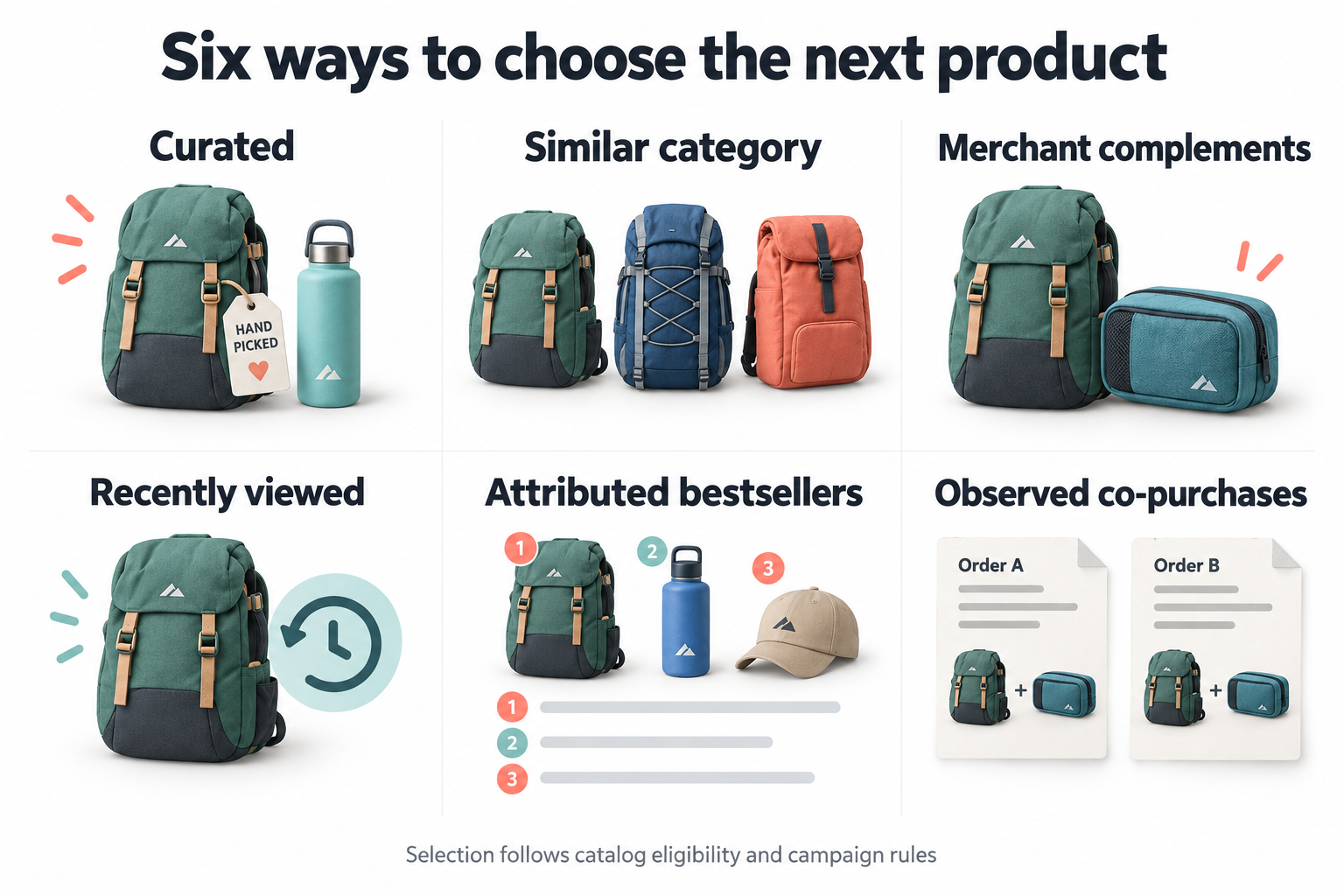
Templates create draft campaigns for six distinct approaches. They provide a starting point, not an automatic merchandising decision:
- Hand-picked favorites: Use the products selected for the campaign in their configured order.
- More like this: Select eligible products in the current product's exact category.
- Complete your purchase: Use merchant-selected complementary products.
- Recently viewed: Bring back eligible products from the browser's recorded product-view history.
- Popular recommendations: Rank products using quantities from attributed recommendation purchases.
- Often purchased together: Use observed co-purchases among attributed recommendation lines.
A curated selection can support a seasonal collection. Similar-category recommendations can help comparison. A complementary selection can surface useful accessories. Recently viewed products can reduce the effort of retracing an earlier choice.
The merchant-complements strategy uses the campaign's selected list. It does not independently verify technical compatibility or infer every product-to-accessory relationship. The team remains responsible for choosing appropriate products and targeting the campaign to the right pages.
3. Understand what the behavioral strategies actually learn from
Popular recommendations use attributed purchased quantities from the preceding thirty days. Observed co-purchases count distinct orders containing multiple attributed recommendation lines associated with the current product. Neither strategy claims to analyze every sale or every basket in the store.
A minimum-evidence setting prevents a weak behavioral signal from automatically qualifying a product. Rankings also use the matching traffic class, so demo purchases do not become evidence for normal recommendation selection.
These are transparent, deterministic strategies rather than a trained collaborative-filtering model. That makes their limits important: a product absent from the ranking may lack tracked recommendation evidence, not demand in the wider business.
Optional curated fallback uses selected campaign products when the main strategy lacks suitable matches. This gives a new or low-volume campaign a practical starting point without inventing a popularity claim.
4. Maintain the product details behind the cards
The product editor stores the name, product URL, external commerce ID, SKU, image URL, price, currency, badge text, short description, and active status. Stable external IDs connect the recommendation catalog to the products reported by the storefront.
An internal record ID is not interchangeable with a storefront commerce ID. Keeping that mapping clear is especially important when a purchase event contains a variant ID instead of the parent product ID shown in a recommendation.
Merchants should use accurate images, destinations, and product information. The presence of a catalog record alone does not make it eligible for versioned recommendations: the selection engine also checks availability and other required fields.
5. Check catalog health, availability, sizes, and variants
Catalog health shows the commerce ID, price and currency, availability state, and last availability update. Teams can maintain exact categories, available sizes, and available variant commerce IDs.
Versioned selection requires active products with a valid external ID, price, currency, product URL, and confirmed availability. Unknown availability is not treated as permission to recommend the item. Size context can further restrict selection to products whose available-size list contains that exact value.
Available variant IDs allow a purchased variant to map back to the recommended parent. Product cards still show the parent's price, so the feature should not be presented as a complete variant-specific pricing engine.
Availability is merchant-maintained in this release. There is no automatic store catalog connector that continuously verifies inventory. A freshness threshold can exclude records whose availability update is too old, but it cannot turn stale merchant data into a live inventory feed.
6. Apply eligibility rules before ranking products
ProductLift filters candidates before selecting the final recommendations. It can exclude the currently viewed product, products already in the cart, merchant-excluded products, currency mismatches, unavailable sizes, stale catalog entries, and products outside configured category or price limits.
Current-product and cart checks recognize configured variant IDs as well as parent IDs. This helps avoid showing a parent product again when the shopper is already viewing or carrying one of its variants.
Campaign controls include a maximum of up to twelve products and a minimum number required to render. If the minimum cannot be met, the result can remain empty instead of displaying an incomplete selection that the merchant did not intend.
Pinned products receive ranking priority only after passing eligibility and matching the strategy or an enabled fallback. Pinning does not force an unavailable, excluded, or otherwise ineligible item into the result.
7. Choose the placement and review the real presentation
Four placement modes support different layouts: insert after a selected element, insert before it, append inside it, or use a floating bottom-right panel. Inline recommendations can sit near a comparison or buying decision; floating recommendations require particular care around navigation, consent notices, chat widgets, and mobile space.
The content editor includes a headline, subheadline, CTA label, product count, light/dark theme, and background, text, and accent colors. Color validation helps reject invalid settings.
There is an important distinction between the legacy and versioned renderers. Legacy placements render the broader appearance settings, product badges, and short descriptions. The current versioned renderer uses the headline, product image, name, parent price, and CTA label with shared styling; it does not yet apply every legacy presentation field. Review the actual connected page rather than assuming that every saved field will appear there.
The cards link to product pages. A CTA label is not a direct add-to-cart integration, and changing its wording does not implement a basket action. Add-to-cart reporting depends on the storefront emitting the corresponding commerce event.
8. Target the relevant pages and audiences
Campaign targeting supports URL inclusion and exclusion patterns, desktop/tablet/mobile selection, UTM source patterns, and new or returning browser visitors. These controls help a merchant distinguish a broad discovery campaign from one intended for a particular acquisition source or product-page family.
Default exclusions include cart, checkout, payment, account, and login routes. A merchant intentionally placing recommendations on a cart page must review those exclusions against the site's actual URLs. A placement should not be enabled simply because the module makes it technically possible.
Reusable audiences add page type, exact category, customer segment, and minimum cart subtotal. All supplied conditions must match; blank conditions are unrestricted. The website integration must provide the context needed to evaluate those rules.
Returning-browser status and segment context are not verified cross-device customer identity. They can guide presentation but should not authorize account access, pricing entitlements, or other sensitive benefits.
9. Reuse audiences and named placements without silently changing campaigns
The audience and placement libraries support creation, editing, duplication, archiving, restoration, and confirmed deletion of unused entries. Each entry shows whether it is active or archived and how many historical versions reference it.
Used definitions cannot be deleted simply because they are no longer needed for a new campaign. Archiving keeps the history available. An archived entry must be restored before editing, and duplication creates an independent entry rather than altering every reference.
Library changes do not automatically rewrite campaign versions. Teams explicitly apply the latest audience or placement definition in delivery settings. Applying a named placement copies its selector and uses the insert-after mode.
This supports controlled maintenance when page markup changes. A team can update a shared definition, review the affected campaign, and create a new version without implying that earlier results came from the new configuration.
10. Preview product selection before publishing
The read-only selection preview accepts a current product external ID, category, and currency. It shows eligible products, selection reasons, and exclusion counts without creating recommendation requests, impressions, clicks, or purchases.
That makes it useful for questions such as why an item was excluded, whether the category matches, whether currency is preventing selection, or whether the campaign is relying on curated fallback.
The preview is not a pixel-perfect website screenshot and does not simulate every audience or browser-history condition. Placement, cart context, size context, and responsive behavior still need real-site testing. A correct product list in the portal is not proof that the recommendation block will mount on the intended page.
11. Manage schedules, allocation, holdouts, and rollout
Campaigns can be Draft, Live, Paused, or Archived. Delivery settings add start and end times, eligible-browser allocation, an original-content holdout percentage, and Evaluation or Rollout mode. Schedule fields use server time, which should be checked when planning a timed promotion.
Allocation and holdout assignment are stable by browser and campaign version. The holdout retains original content rather than receiving the recommendation block. Rollout mode disables the recommendation holdout while retaining the configured allocation.
Saving delivery settings for a Live campaign makes the latest version available immediately. Teams should pause first when they need a review period. These controls provide deliberate publishing options, not an automatic approval or winner-selection process.
12. Preserve campaign versions while keeping availability current
Immutable versions retain campaign configuration, selected product membership, targeting, and copied delivery rules. A changed configuration creates a new snapshot. Restoring an earlier version creates a new version and pauses the campaign for review.
Product availability is checked for each new recommendation request. The actual selected product payload is then frozen for retries of that request, so a retry does not silently become a different recommendation response.
That distinction lets the merchant respect current availability without rewriting the evidence of what was selected earlier. Restoring a configuration does not restore old stock levels or guarantee the same products will be eligible today.
13. Connect recommendations to page and cart context
ProductLift uses the existing shared RAS runtime. The storefront can provide page type, customer segment, current product, category, currency, size, cart value, and cart items through EDSA.Commerce.setContext(...).
Meaningful context changes can refresh recommendations. Single-page URL changes are detected, and EDSA.ProductLift.refresh() supports refreshing after page changes that do not update context. Refresh removes previous versioned blocks and their visibility observers.
The quality of those inputs determines the usefulness of selection. A recommendation engine cannot reliably exclude the current cart item if the integration reports an unrelated ID. A clear integration contract is therefore part of the merchandising workflow, not a detail to leave until reporting looks wrong.
14. Measure rendering, visibility, and interaction separately
A rendered block has been mounted on the page. A viewed block requires at least fifty percent visibility for one continuous second in an active tab. Individual product-card visibility is recorded separately using the same threshold.
A below-fold recommendation can therefore be rendered without being viewed. Visibility does not prove attention, and the visitor can interact with a briefly visible card before it satisfies the recorded-view threshold.
Clicks, attributed cart actions, purchased lines, and delivery errors provide additional evidence. Requests and events carry stable identities, with persisted receipts and conflict checks to prevent a retry from becoming a second measurement with different content.
Pending click events are preserved before navigation where session storage is available and retried with the same identity. Without storage, delivery is best effort on the current page rather than a guarantee that every interaction will survive navigation or a network failure.
15. Attribute purchased products, not unrelated basket revenue
ProductLift follows the last recommendation click for a product within the same browser session. Campaign versions freeze an attribution window from one to 168 hours, with a default of twenty-four hours. The session restriction still applies; a longer window does not create cross-session or cross-device attribution.
A purchase line needs a stable order ID and line ID, product or available variant ID, quantity, matching currency, and line amount. Missing identifiers or amounts are not guessed. Order-line uniqueness helps prevent the same purchased line from being attributed repeatedly across requests.
The line amount should represent the purchased merchandise after discounts, excluding shipping, tax, and unrelated basket items. If a shopper clicks a recommended bottle and also buys a backpack, the entire basket should not become bottle-recommendation revenue.
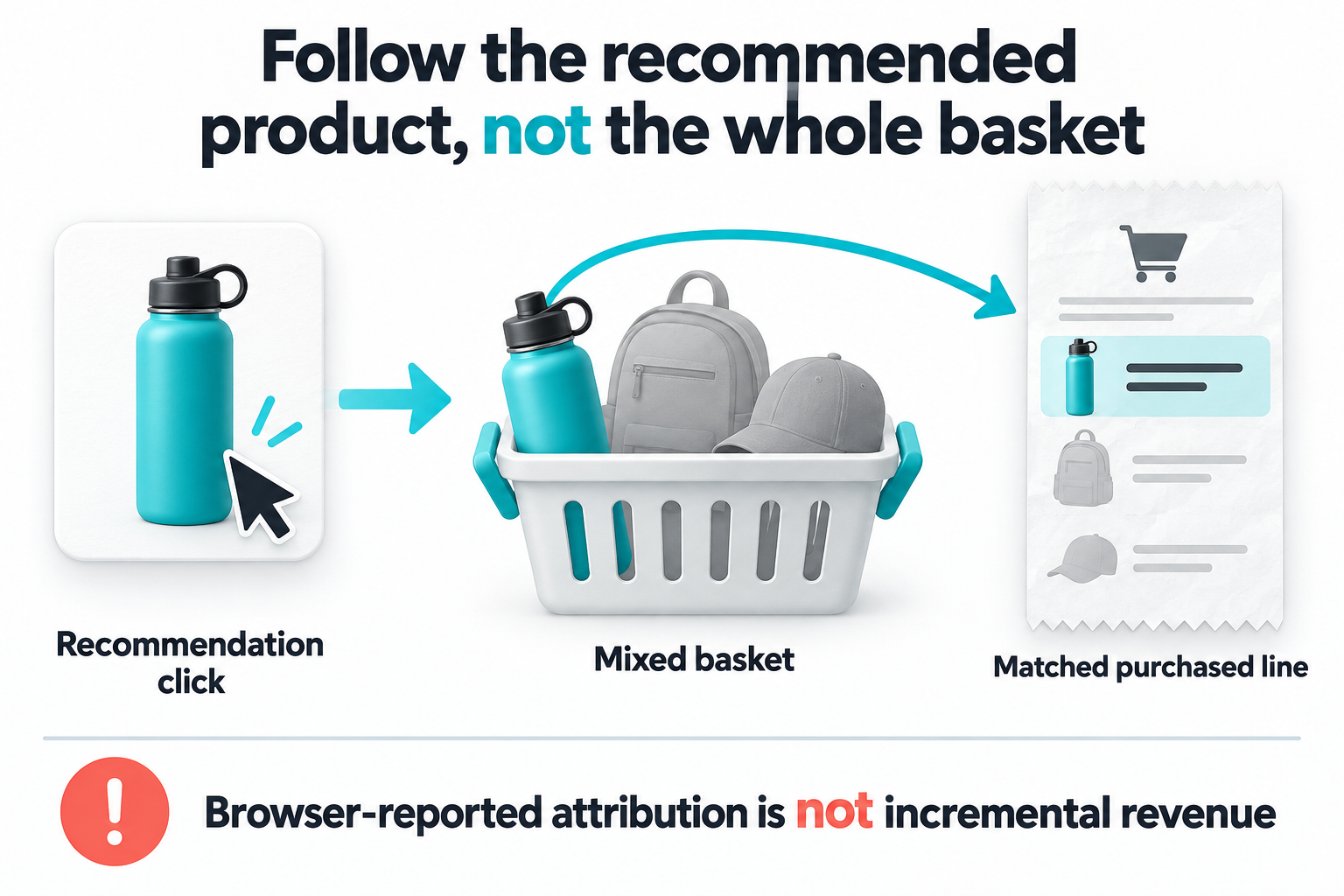
Currencies remain separate, and the current amount storage supports two decimal places without currency conversion. Backend order-reference matching can confirm that an order reference exists in the site's Loyalty ledger, but it does not verify the browser-reported line quantities or amounts. These events should not be used as authoritative evidence for issuing rewards.
16. Read campaign, product, and request reports in context
Reports filter by site, date, traffic class, campaign, version, and device. The dates select a request cohort: later outcomes associated with those requests are included within their frozen attribution windows. Recent requests may still be waiting for outcomes.
Summary cards show recommendation requests, rendered blocks, viewed blocks, requests with clicks, cart actions, and purchased products. Daily visibility charts, version/group comparisons, product performance, purchased-line details, and request-level follow-up help explain the activity.
These are request counts, not unique shoppers. Repeat page visits can create new requests. Product performance counts distinct request/product pairs at the relevant stages and reports purchased units and line amounts separately.
View-to-click rate uses viewed requests that also received a click divided by viewed requests. A click on briefly visible content can remain in the click count without entering that rate. Keeping the denominator explicit prevents a useful interaction metric from being mistaken for a purchase conversion rate.
Reports cap the selection at the latest 20,000 requests before device filtering and display a warning. Request details and purchased-line tables show the latest one hundred entries. CSV export includes the selected request cohort subject to the cap. Available JourneyLens recording links support further investigation; historical legacy analytics remain separate.
17. Diagnose missing recommendations and empty results
Delivery diagnostics distinguish invalid selectors, missing placements, placement conflicts, empty results, audience mismatches, schedule restrictions, allocation, and Optimize-assignment mismatches. Selection preview adds explanations such as unavailable products, currency mismatch, stale catalog data, and strategy misses.
Versioned inline delivery does not fall back to attaching recommendations to the page body when its intended selector fails. Delayed elements receive bounded retries, and conflicting campaigns targeting the same element produce a diagnostic rather than stacking blocks without explanation.
Report-load alerts require at least twenty requests and flag delivery errors affecting at least five percent or empty results affecting at least ten percent. These are in-workspace warnings, not scheduled outbound notifications.
No activity still needs investigation: confirm that the campaign is Live and versioned, the page rules match, catalog products are eligible, the current RAS script is deployed, and the report is showing the correct traffic class.
18. Use Optimize when the question is incremental business impact
ProductLift can deliver only to a configured Optimize version and variant after checking a persisted assignment for the same site, browser identity, session, and traffic class. This provides an explicit connection between recommendation delivery and an experiment.
ProductLift's own reports remain descriptive. A holdout receives no recommendation block and cannot produce recommendation-click-attributed revenue. Comparing that group's attributed revenue with treatment therefore cannot establish lift.
Optimize should measure total business outcomes under a planned experiment with appropriate quality and uncertainty checks. ProductLift explains what was recommended and what activity followed; Optimize helps evaluate whether the changed experience improved the chosen business outcome.
A local test should confirm visible and below-fold blocks, control behavior, empty results, selector failures, clicks, cart events, purchase-line identity, retries, and mobile layout. Demo activity must remain distinguishable from normal traffic, and test classification does not make real payments or fulfillment harmless.
Make recommendation decisions explainable
Consider a retailer helping shoppers choose travel accessories. It can begin with merchant-selected complements, restrict the campaign to relevant product pages, exclude items already in the cart, and require fresh availability. Similar-category or recently viewed strategies may solve a different problem on another part of the journey.
The team can review why products were selected, verify that the block was actually visible, inspect clicked products and purchased lines, and investigate a session through JourneyLens when a recording exists. Voice of Customer can inform the underlying shopper question, while Optimize can test the broader business effect.
ProductLift's value is the connection between catalog readiness, deliberate selection, controlled delivery, and interpretable evidence. It helps merchants explain not only which products appeared, but why they qualified and what recorded activity followed.
Start with one merchandising purpose and one dependable placement. Keep the catalog current, verify the integration, and judge the recommendation by whether it helps the shopper take a useful next step, not simply by how many products fit on the page.